
Tools for
Gothav

Everything on the shelf, in one signed list. Find a tool by what you want done, then install it from inside Gothav.

Signed by Gothav

4 tools · list written 5 November 2026. Your browser checks the signature on this page.

Key 14fd0d7d0fe4a3e5

4 tools

Color Lens

Find dominant colors and palettes in images and video. Copy color values, check contrast, and export palettes. Works offline after download. 1 MB, Apple silicon, by Gothav.

Version 1.0.2. Needs Gothav 1.0.2 or later. Images. Licence: ISC. Id: color-lens.

Archive fingerprint (SHA-256): dbd9eb34e6cac4b6e795d0bc0e553b97459001d3bbf186885a71eb2994f7529d

Open Gothav, go to Tools, then Get tools, and search for “Color Lens”. Gothav checks the download against the signed list before it installs anything.

It runs on your Mac with the network blocked.
Office conversion

Lets PDF Tools open Word, Excel and PowerPoint files, to merge them or turn them into PDF. 133 MB, Apple silicon, by Gothav.

Version 1.0.1. Needs Gothav 1.0.0 or later. Documents. Id: office-convert.

Archive fingerprint (SHA-256): ca573ba09a7223fa3cea702d7645cf5cb6535083a5036d12529c116ed7273141

Open Gothav, go to Tools, then Get tools, and search for “Office conversion”. Gothav checks the download against the signed list before it installs anything.

It runs on your Mac with the network blocked.
PDF Tools engine

Runs the PDF Tools on this Mac: merge, split, compress, convert, edit, sign, protect, compare and redact. Needed for every PDF tool. 136 MB, Apple silicon, by Gothav.

Version 1.0.1. Needs Gothav 1.0.0 or later. Documents. Id: pdf-engine.

Archive fingerprint (SHA-256): daf85f857bf41a4af5aee678ed9d134e087523c64c64cb35e576b1120ea690c0

Open Gothav, go to Tools, then Get tools, and search for “PDF Tools engine”. Gothav checks the download against the signed list before it installs anything.

It runs on your Mac with the network blocked.
PDF/A checker

Checks PDF/A results on this Mac. Needed for the PDF to PDF/A tool. 49 MB, Apple silicon, by Gothav.

Version 1.0.1. Needs Gothav 1.0.0 or later. Documents. Id: pdfa-check.

Archive fingerprint (SHA-256): e8390cf0f6fd11ed29ad0dd1e406fe42daa1c00c880d51921526bfdc17c23232

Open Gothav, go to Tools, then Get tools, and search for “PDF/A checker”. Gothav checks the download against the signed list before it installs anything.

It runs on your Mac with the network blocked.
Then it is in Gothav.

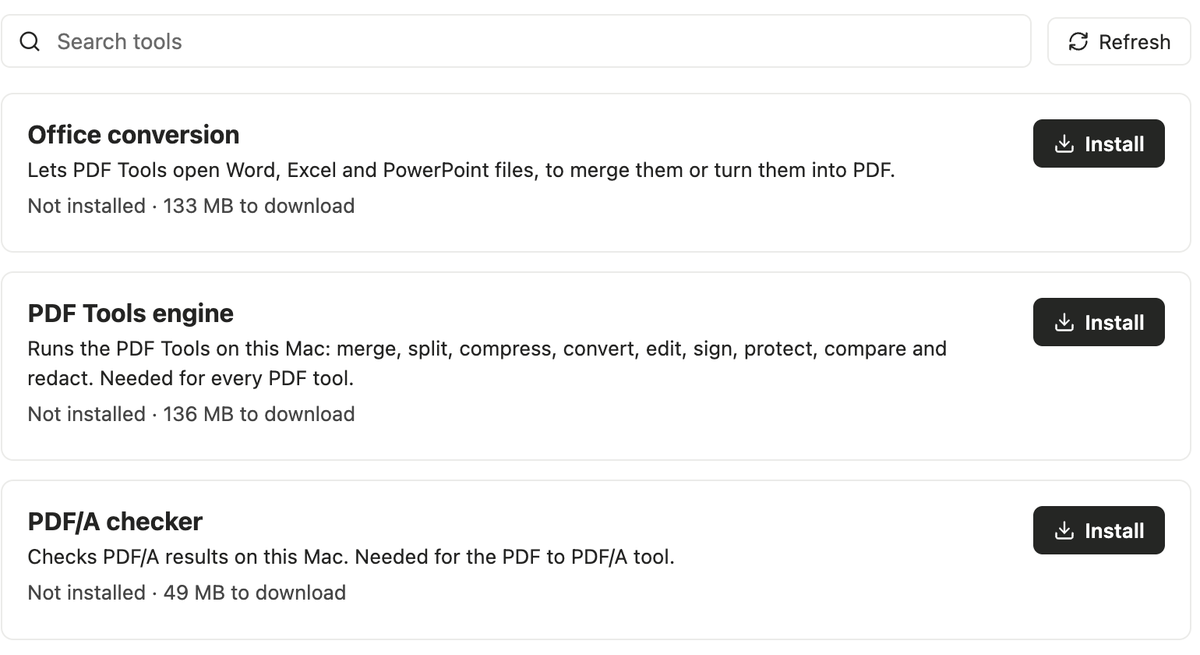
Gothav’s Get tools screen with a search box and the PDF Tools engine, Office conversion and PDF/A checker, each with an Install button and its download size.
Search the shelf in Get tools. Each listing shows its size before you install.
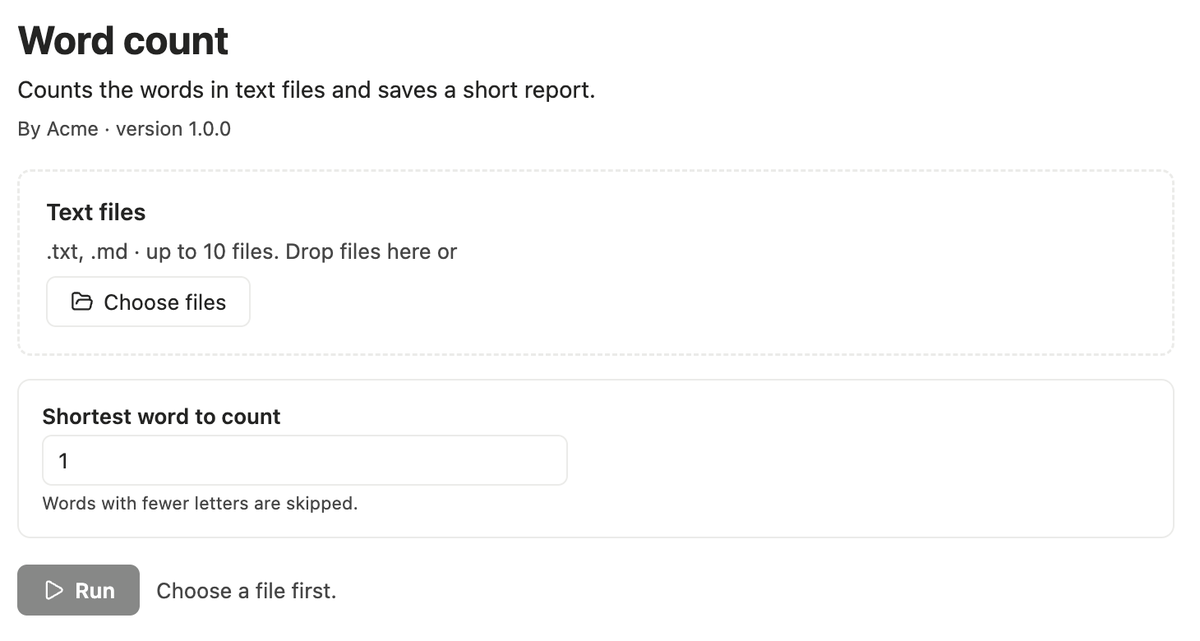
An example tool open in Gothav: a file picker and one option, Shortest word to count.
Open a tool. Choose files and set its options.
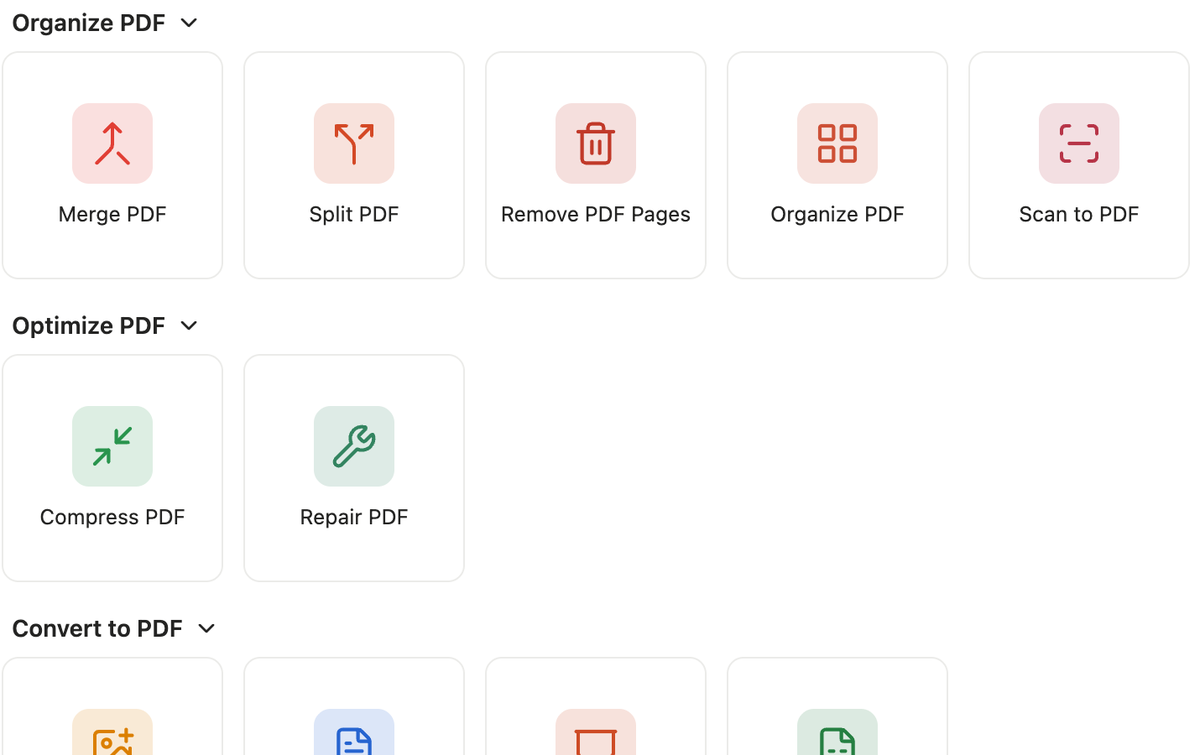
The PDF Tools screen in Gothav: tiles for Merge, Split, Remove pages, Organize, Compress, Repair and the converters.
The PDF Tools engine opens the 26 PDF tools.
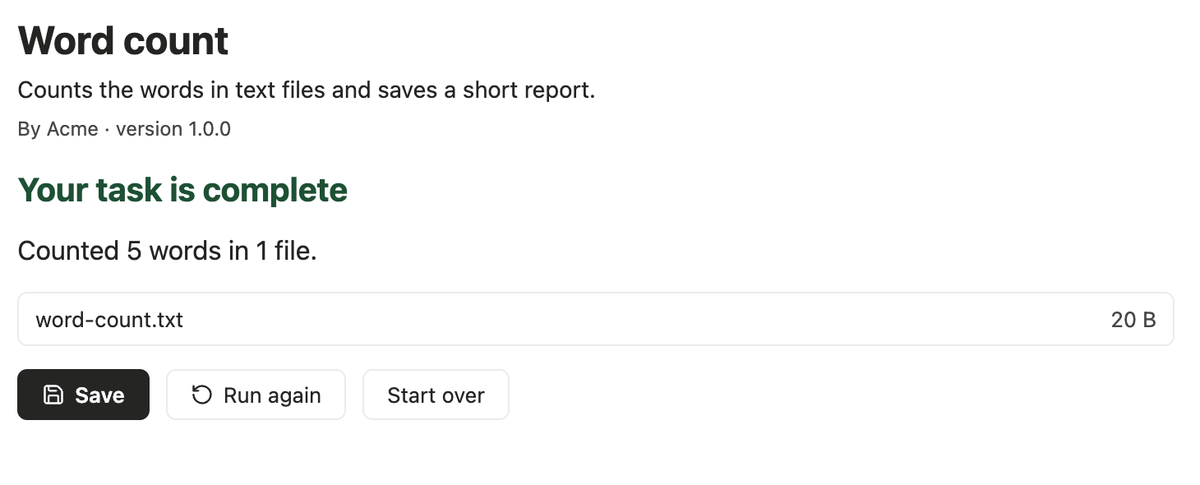
The result of the example tool: Your task is complete, with a Save button.
Run it, then save the result. This is an example tool made with the Tool Kit.

No outside tools yet.

Submissions are not open yet. When they open, each tool is reviewed, built from its source and signed by Gothav first.

How to build one

Why trust the list?

Signed once, by Gothav

The list is signed with a key only Gothav holds. Gothav ships the matching public key, so a changed list is rejected.

Every download is checked

The list carries each archive’s size and fingerprint. Gothav compares them before it unpacks anything.

A bad version can be pulled

A withdrawn version disappears from this list, and Macs that have it stop running it.